

How to Book a Rental Studio (English Guide)
 Book on LINE
GUIDEEnglish booking guide
How to book a rental studio in Japan
All Dancers studios in Kyoto, Osaka, Nagoya and Miyazaki are booked and paid for in the LINE app. The booking screens are in Japanese, so this page walks you through every step and explains what each button means.
Before you start
What you need
The LINE app
Free for iPhone and Android. Bookings, payment and entry instructions all go through LINE.
Phone number and email
Asked for once, when you register your details.
Credit card or PayPay
Payment is made when you book. Cash is not accepted.
Step by step
Booking in 7 steps
Screens may look slightly different from the images, which come from our Japanese booking guide.
-
STEP01
Add Dancers on LINE
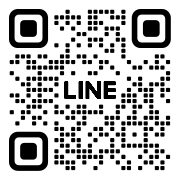
Install the LINE app, then add our official account. On a computer, scan the QR code with your phone.

-
STEP02
Register your details (first time only)
In the menu at the bottom of the chat, tap お客様情報 (Your Info). Fill in お名前 (name), 電話番号 (phone number) and メールアドレス (email), then tap お客様情報更新 (save). 領収書の宛名 (name on the receipt) is optional.
-
STEP03
Start a new booking
Tap the big yellow 新規予約 (New Reservation) button. In the studio list, tap the tab for your area, such as 京都 (Kyoto) or 大阪 (Osaka), or すべて (All). Then tap 予約表を見る (View schedule) for the studio you want.
-
STEP04
Pick a date and start time
Tap the date at the top to change it. In the grid, ○ means free and × means booked. Tap ○ at your start time. At studios with more than one room (Kawaramachi, Imaike, Miyazaki), each room has its own column, for example Aスタジオ for Room A.
-
STEP05
Choose how long
Choose by length with 利用時間で選択, or by end time with 終了時間で選択. You can book in 15-minute steps.
-
STEP06
Pay
Under お支払い方法 (payment method), choose クレジットカード (credit card), PayPay(事前決済) (PayPay, pay now) or PayPay(現地) (PayPay at the studio by scanning the QR code there). For a card, tap 新しいカードを入力 (enter a new card). Card payments are processed by Stripe. Cash is not accepted.
-
STEP07
Get your confirmation and entry instructions
LINE sends you a booking confirmation and a payment confirmation, along with how to get into the studio. To check or cancel a booking later, tap 予約確認 (Reservation Confirmation) in the menu.


Glossary
Japanese you’ll see on the screen
| On screen | Meaning |
|---|---|
| 新規予約 | New Reservation (start a booking) |
| お客様情報 | Your Info (register your details) |
| お名前 / 電話番号 / メールアドレス | Name / Phone number / Email |
| 領収書の宛名 | Name on the receipt (optional) |
| お客様情報更新 | Save your details |
| 京都 / 大阪 / すべて | Kyoto / Osaka / All (tabs in the studio list) |
| 予約表を見る | View schedule |
| タップして日付選択 | Tap to choose a date |
| ○ / × | Available / Booked |
| Aスタジオ / Bスタジオ | Room A / Room B |
| 利用時間で選択 | Choose by length of use |
| 終了時間で選択 | Choose by end time |
| 料金・お支払い | Price & payment |
| クーポン / 使用しない | Coupon / None |
| お支払い方法 | Payment method |
| クレジットカード | Credit card |
| PayPay(事前決済) | PayPay, pay now |
| PayPay(現地) | PayPay at the studio (scan the QR code there) |
| 新しいカードを入力 | Enter a new card |
| 予約確認 | Reservation Confirmation (check or cancel) |
| 空き状況 | Availability |
On the day
When you arrive and leave
- Arriving
- Come at your start time, not earlier. Follow the entry instructions you got on LINE and open the door with the key from the lockbox.
- Leaving
- Clean the floor, switch off the audio, air conditioning and lights, lock the door and put the key back in the lockbox. Check that the lockbox is shut.
- Questions
- Message us on LINE. Phone: +81-70-9130-3195 (weekdays 10:00–18:00).
Rules
House rules
Please read these before booking. The full terms are on our Japanese terms page.
Studio terms (Japanese)- Time
- Arrive and leave within your booked time. Setup and cleanup count as part of it. Entering early or overstaying costs a ¥10,000 penalty.
- Neighbors
- Please don’t hang around or chat for long outside the building, smoke nearby, litter, park on the street or make excessive noise. Breaking these rules costs a ¥10,000 penalty.
- Shoes
- No outdoor shoes inside. Heels, tap shoes and other shoes that could scratch the floor are not allowed.
- Instruments
- Musical instruments may not be played, practiced or brought in.
- Restroom
- Use the studio’s own restroom. Please don’t ask to use the restrooms of nearby shops.
- Smoking
- The studios are completely non-smoking.
- Leaving
- Put furniture back where it was, clean the floor (there’s a vacuum cleaner), and turn off the audio, air conditioning and lights. Close the windows. Lock the door, put the key back in the lockbox and check that the lockbox is shut.
- Trash
- Take everything you brought home with you, including trash. Trash left behind is charged at full disposal cost.
- Damage
- We are not liable for loss, theft or accidents in the studio. Damage caused by users is charged at full repair cost. Speakers and other equipment are a free extra: fees are not refunded if something is broken.
Cancellation
Cancellation policy
Counted from your booking’s start time. Changes to a booking follow the same rules.
| Until 48 hours before your start time | Free |
|---|---|
| 48 to 24 hours before | 50% of the fee |
| Within 24 hours | 100% of the fee |
Example for a booking at 15:00 on January 10: free until 14:59 on January 8, 50% from 15:00 on January 8, and 100% from 15:00 on January 9.
Q&A
Booking FAQ
QCan I book without a Japanese phone number?
The registration form asks for a phone number. If you have trouble registering, message us on LINE.
QWhat if I’m running late or need to change my booking?
Changes follow the same rules as cancellations. You can’t extend past your booked time, so book a little extra if you’re unsure.
QCan I cancel?
Yes, from Reservation Confirmation (予約確認) in the LINE menu. Free until 48 hours before your start time; see the cancellation policy below.
Reserve
See what’s free and book on LINE
Not sure about something? You can message us on LINE before booking, too.